Skip to homepage content

Teacher-built classroom tools

Help multilingual learners reach the lesson—not a watered-down version of it.

PotentELL gives teachers practical ways to translate materials, build subject vocabulary, and share anonymous practice—without asking students to create accounts.

Created by
A classroom teacher
Built for
Multilingual access across subjects
Student access
No student account, name, or profile required

See the work

Three classroom moments. Three focused tools.

These are working PotentELL interfaces, not concept art. Each one starts with a specific classroom problem and keeps the teacher in control.

Adapt the lesson

Make a familiar lesson easier to enter.

Create translated and scaffolded copies of a Google Slides lesson. Choose the deck and supports; the original presentation stays unchanged.

Copies are created in the teacher’s connected Google account.

See Slides Translator
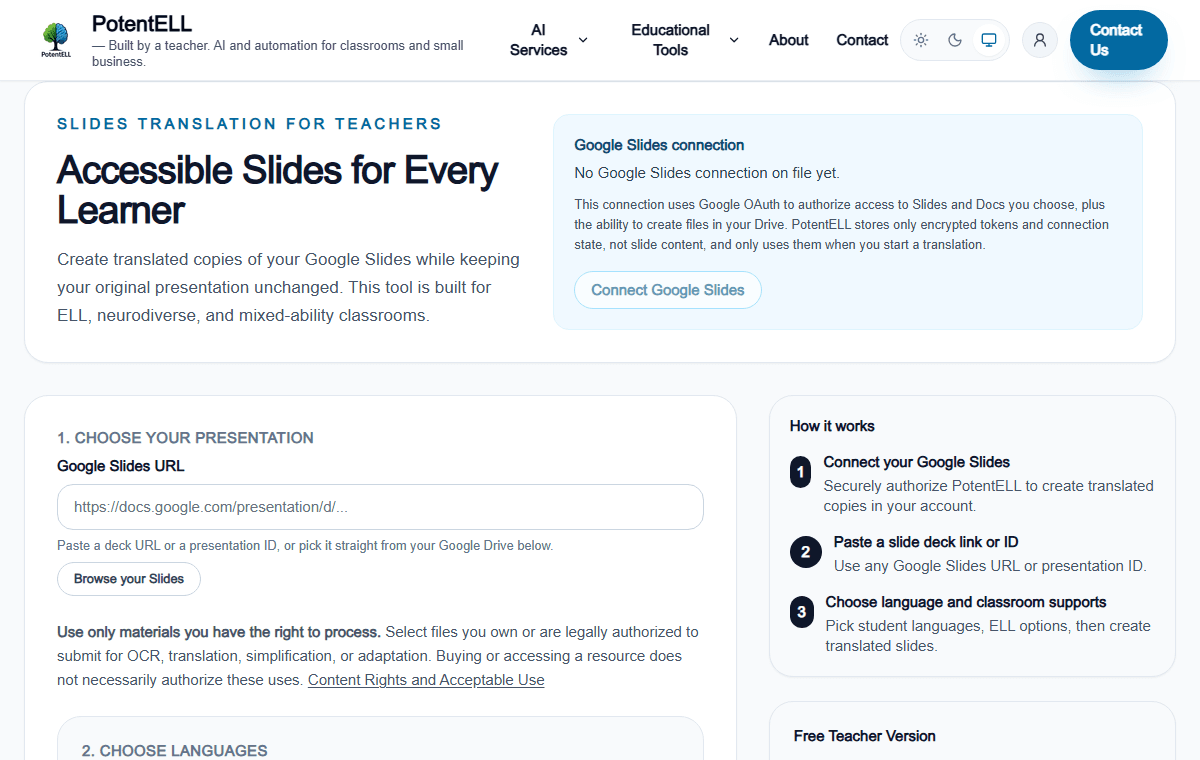
PotentELL Slides Translator showing the Google Slides connection, presentation link field, and classroom support steps.
Live product interface · captured from PotentELL

Build vocabulary

Teach the words inside the subject.

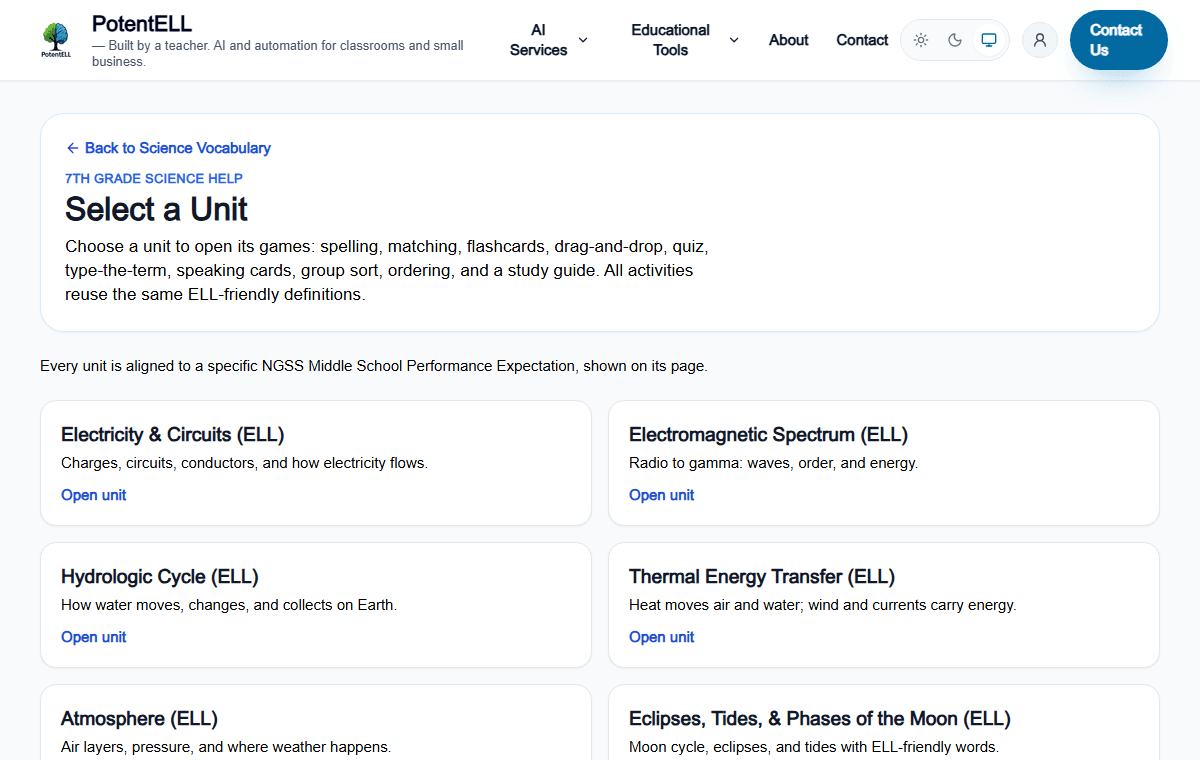
Open science vocabulary by unit, then use consistent definitions across study guides, flashcards, speaking cards, matching, spelling, and quizzes.

Public practice is available without creating a student account.

Explore science vocabulary
PotentELL science vocabulary unit selector with electricity, electromagnetic spectrum, water cycle, and thermal energy units.
Live product interface · captured from PotentELL

Share practice

Let students practice without becoming the product.

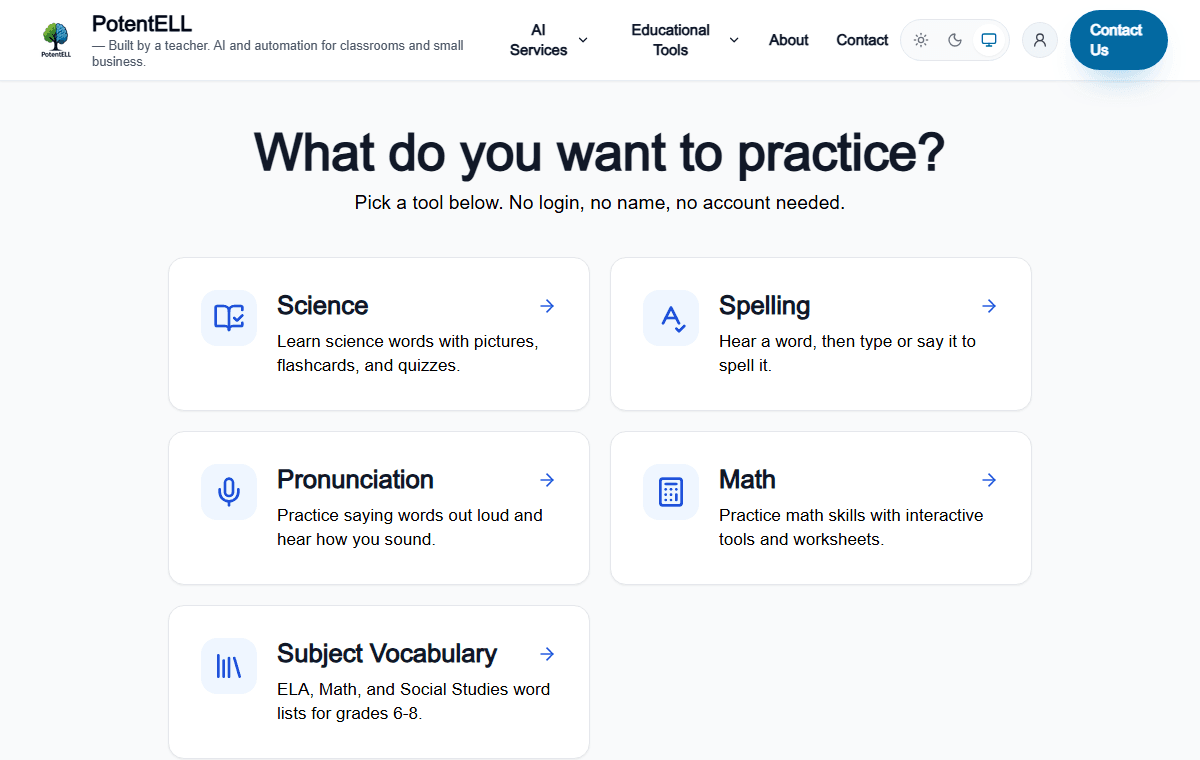
Students can open subject practice directly or find teacher-shared lists with a topic code. No student sign-in, profile, name, or roster is required.

PotentELL does not store per-student answers, scores, or progress.

Open student practice
PotentELL student practice page with science, spelling, pronunciation, math, and subject vocabulary choices.
Live product interface · captured from PotentELL

Designed from the problem out

Classroom friction, translated into useful software.

PotentELL does not begin with a feature list. It begins with the moment a teacher or learner gets stuck.

  1. 01

    The lesson is grade-level. The language is not yet accessible.

    PotentELL responseAdd translation, vocabulary, sentence frames, and simpler directions around the original content.

  2. 02

    One word list needs more than one kind of practice.

    PotentELL responseReuse stable definitions across visual, spoken, written, and game-based activities.

  3. 03

    A useful student tool should not require a student data system.

    PotentELL responseKeep student practice anonymous and put account controls with the teacher.

Credibility you can inspect

The proof is the work.

PotentELL was created by a teacher with more than two decades in the classroom, much of it supporting multilingual learners. The tools shown here are available to open and evaluate now.

  • 01Real classroom tools with stable public routes
  • 02Plain-language access and save-location notes
  • 03Teacher judgment stays in the workflow
Read the PotentELL story

Privacy, stated plainly

Teacher accounts. Anonymous student practice.

Students do not sign up, sign in, provide names, or receive persistent identities. PotentELL does not store per-student answers, scores, or progress. Teachers decide what to share and can revoke a shared list.

Read the privacy policy

Start with the next lesson

See which tool fits the work in front of you.

Looking for AI audits, websites, or workflow automation?Visit business services →